All solutions

Intelligent Digital Display Solution

Deliver the Right Content to the Right Screen at the Right Time

A centralized platform for digital signage, content publishing, smart scheduling, multi-location management, remote device monitoring, enterprise integrations, and workplace communication.

Manage every display, every location, and every digital experience from one intelligent platform.
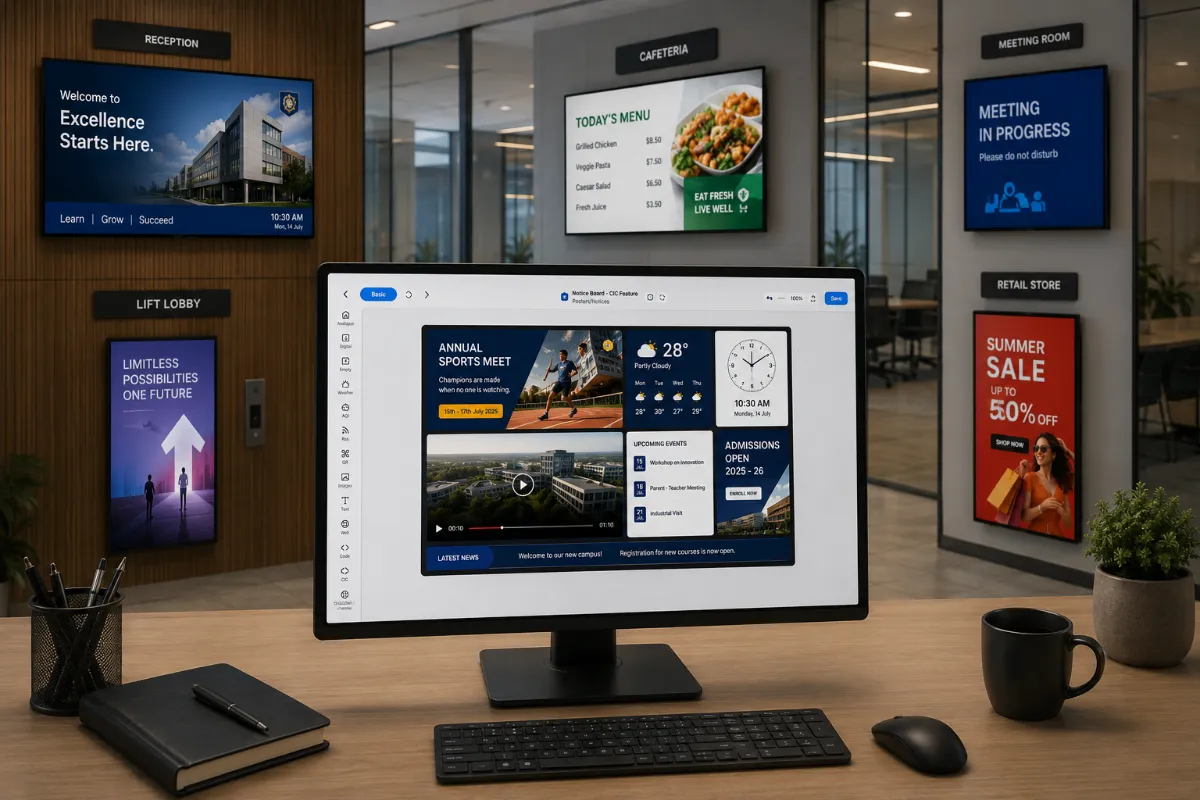
An office desk with a monitor running the content designer, and five wall displays around it under bay labels: reception showing a welcome board, lift lobby a brand poster, cafeteria the day's menu with prices, meeting room a do-not-disturb panel, and retail store a summer sale poster. The reception board and the designer's own clock both read 10:30 AM on Monday 14 July.
  • Multi-siteOne dashboard, every location
  • 13Widgets and enterprise integrations
  • Multi-modelCloud, on-premise or hybrid

Why it matters

Modern Communication Deserves More Than Static Displays

Organizations today rely on digital displays to communicate with employees, customers, visitors, and stakeholders. But managing content across multiple locations, departments, and screens often becomes fragmented, leading to inconsistent messaging, manual updates, and limited visibility over display networks.

  • Content management

    Publish and schedule digital experiences.

  • Display administration

    Monitor and manage from anywhere.

  • Enterprise integrations

    Centralized into one platform.

Capabilities

Create Engaging Content Without Complexity

Design rich digital experiences using an intuitive content designer that supports dynamic layouts, multiple content zones, and interactive elements. Publish content instantly or automate campaigns with smart scheduling to ensure every screen displays the right information at the right time.
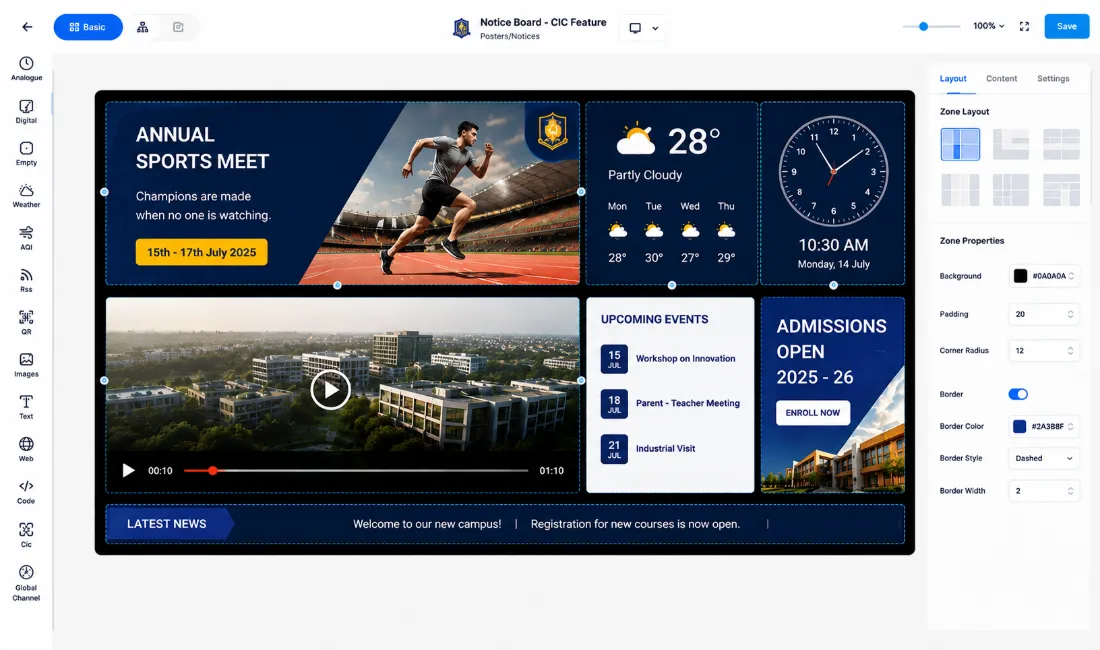
A content designer open on a campus notice board: six dashed zones on a black canvas holding a sports-meet poster, a weather panel, an analogue clock reading 10:30 on Monday 14 July, a campus video, an events list, an admissions panel and a news ticker. A rail of widget types runs down the left — weather, air quality, RSS, QR, images, text, web, code — and a properties panel at the right offers six zone layouts over padding, corner radius and border settings.

Content Publishing Capabilities

  • Image, Video, PDF & PowerPoint Publishing
  • Canva Integration
  • Excel
  • Word Files
  • Web URLs & Streaming URLs
  • HTML & Embedded Web Content
  • Multi-Zone Screen Layouts
  • Dynamic Playlists
  • Smart Scheduling
  • Media Library
  • Portrait & Landscape Display Support

Turn Every Screen into a Live Information Hub

Keep displays fresh and relevant by combining multimedia content with live business information. Display operational dashboards, workplace updates, calendars, announcements, weather, and real-time data that update automatically without manual intervention.
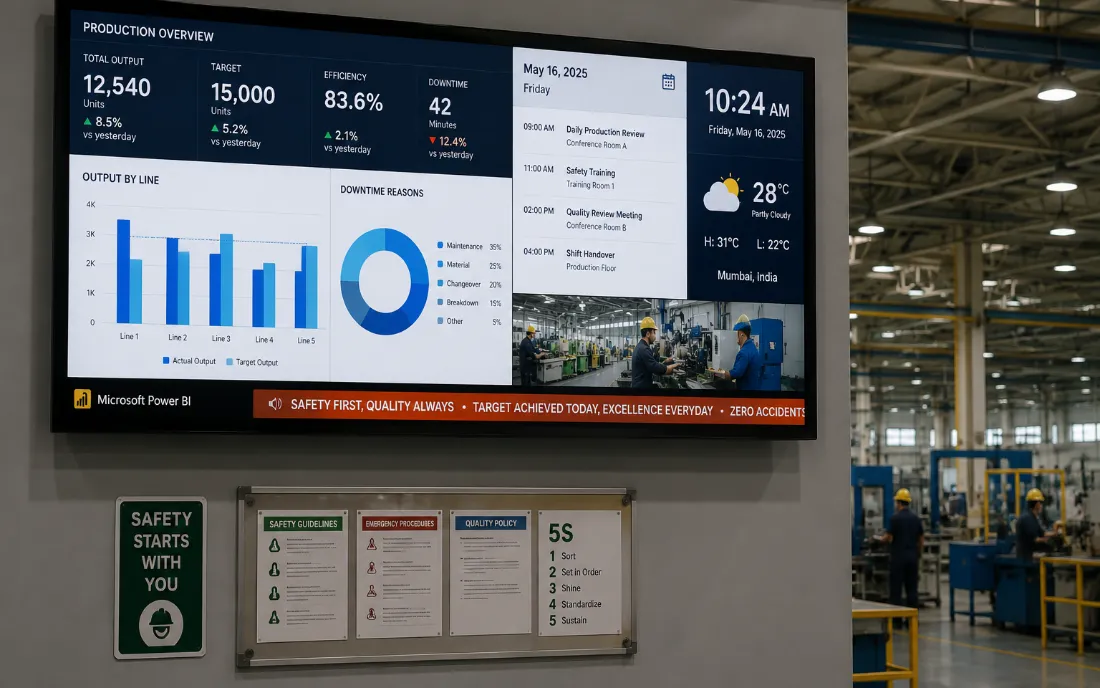
A wall-mounted display on a factory floor showing a live production dashboard — output and efficiency figures, a Power BI bar chart of output by line, a downtime breakdown, the day’s meeting schedule, a clock and a weather widget, with a safety message scrolling across the bottom. A printed notice board is bolted to the wall beneath it.

Widgets & Enterprise Integrations

  • Microsoft Teams
  • Microsoft 365 & SharePoint
  • Google Workspace & Google Calendar
  • Power BI Dashboards
  • RSS Feeds
  • Weather
  • Social Widgets
  • Digital Clock
  • Text Marquee
  • Countdown Timer
  • Emergency Alerts
  • Website & Web Application Integration
  • Custom Code & API Integrations

One canvas, every screen

The same message, shaped to fit.

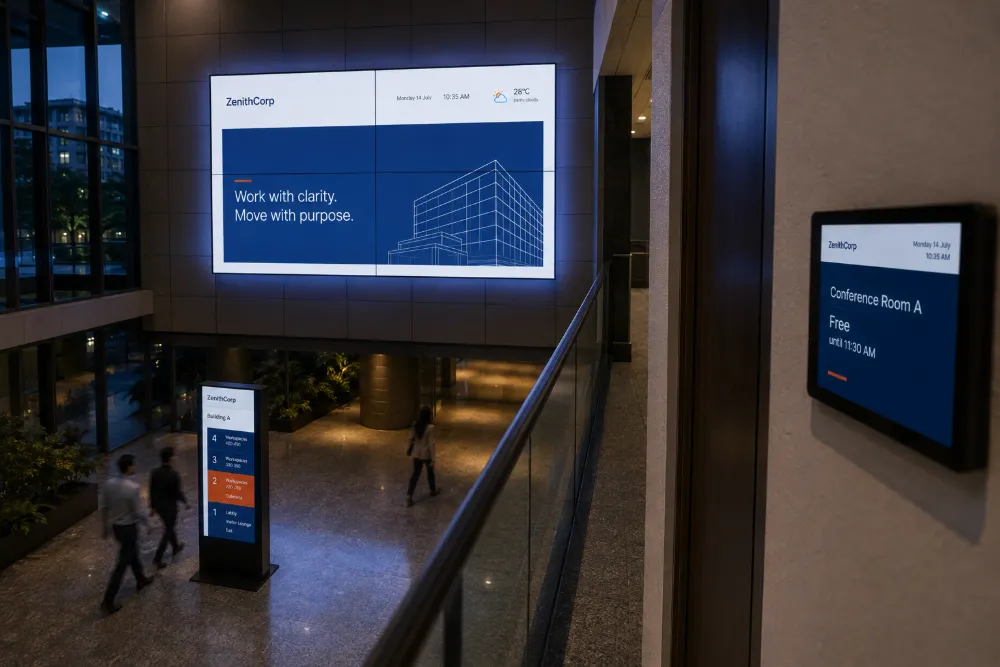
Zones, orientation and scale change with the panel. The content does not have to be rebuilt for each one — a layout is authored once and adapts to the screen it lands on, whether that is a lobby video wall or a panel beside a meeting room door.
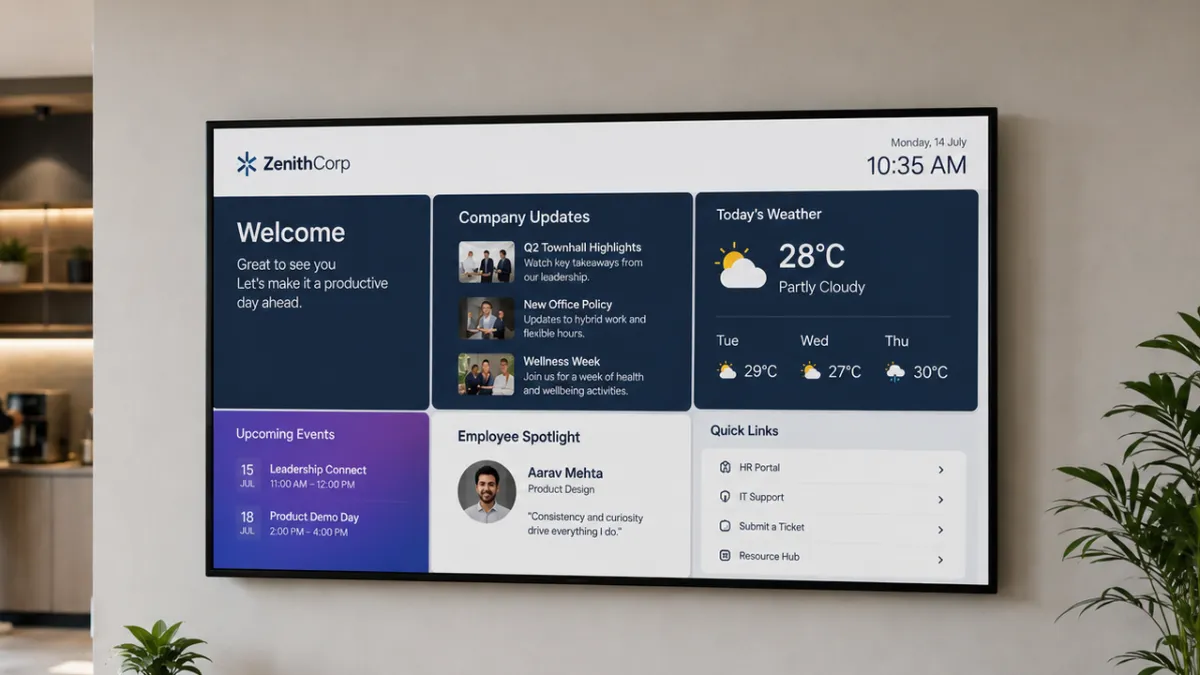
  • A wall-mounted landscape display in an office breakout area, showing a welcome message, company updates, weather, upcoming events, an employee spotlight and quick links in six zones.

    LandscapeWall-mounted, the common case
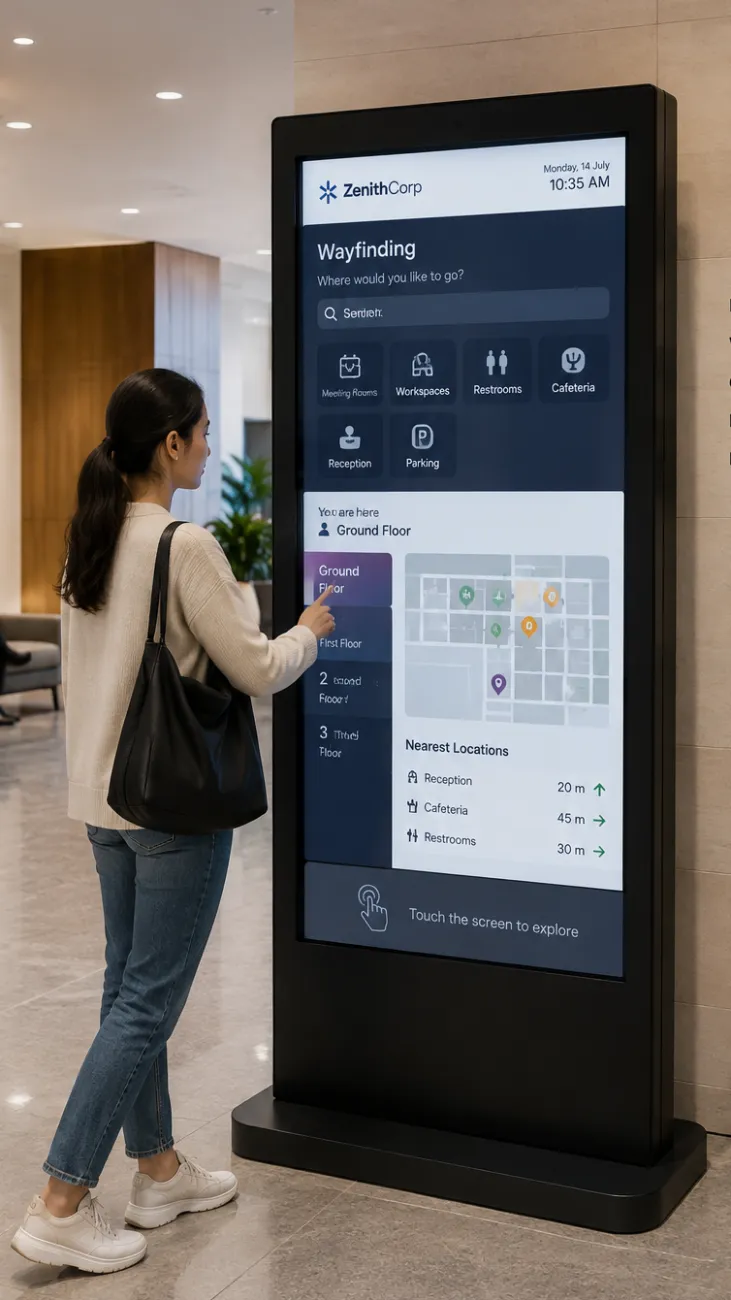
  • A visitor touching a portrait wayfinding kiosk in a lobby, showing destination categories, a floor map and the nearest locations with distances.

    PortraitPoster panels and wayfinding

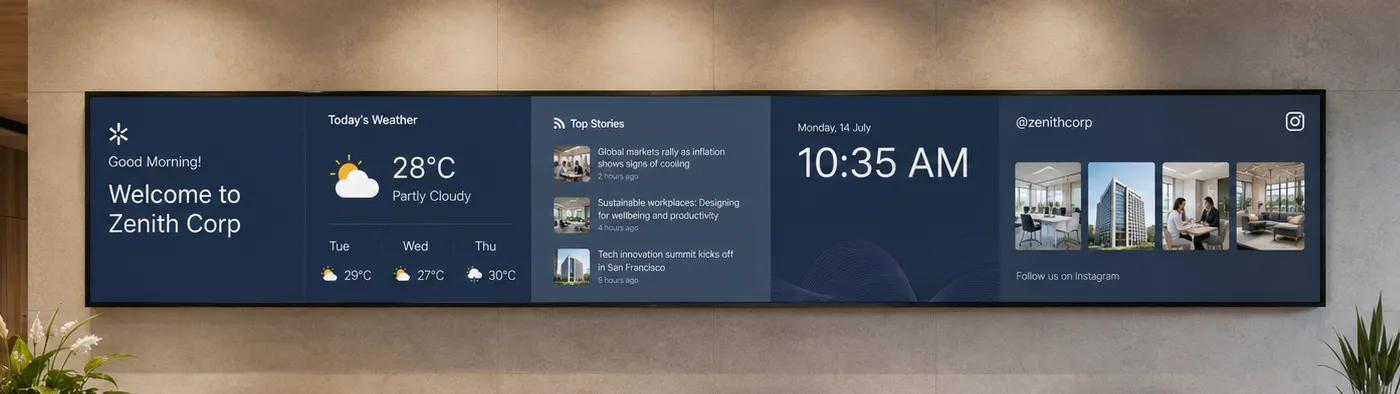
  • An ultrawide strip of four joined panels above a reception desk, run as one canvas: a welcome message, the weather, a news feed, the time, and a social wall.

    UltrawideReception and lobby strips

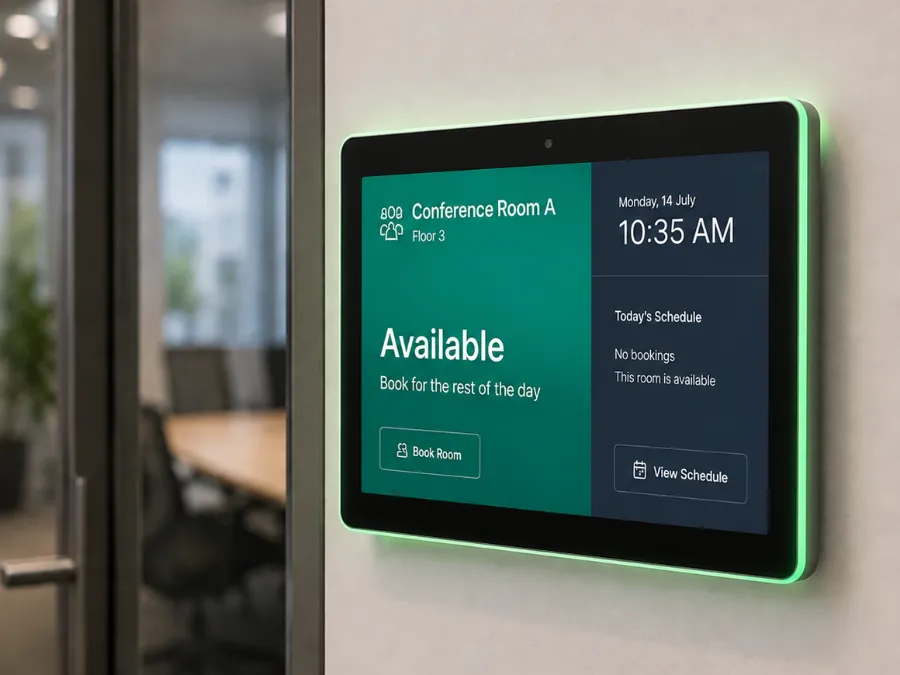
  • A small panel beside a glass meeting-room door, lit green and reading Conference Room A, Available, with today’s schedule and buttons to book the room or view the schedule.

    Room panelBeside the door, at eye level

Use cases

Designed For Every Business Scenario

Digital displays serve different purposes across different organizations. From internal communication and operational visibility to customer engagement and interactive experiences, the platform adapts to a wide range of business scenarios through a single centralized content management solution.

Common Use Cases

Keep employees informed with company announcements, HR updates, internal campaigns, event promotions, digital notice boards, and emergency communication.

Manage the network

Manage Every Display from a Single Dashboard

Whether you’re operating ten displays or thousands across multiple locations, the platform gives you complete control over your digital signage network. Organize displays by location, monitor player health, publish content remotely, and ensure every screen remains connected and operational.

Enterprise Management
  • Multi-Location Management
  • Multi-Player Management
  • Remote Device Management
  • Player Health Monitoring
  • Display Status Monitoring
  • Remote Content Publishing
  • Device Diagnostics
  • Analytics & Reports
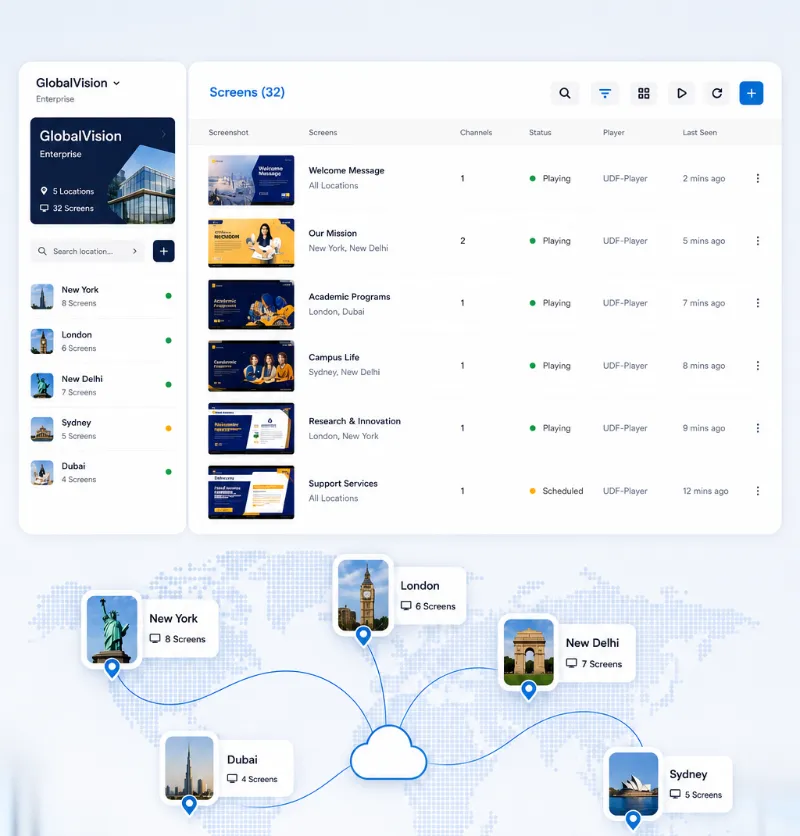
A display-management interface over a world map with pins on five cities. Its screen list gives each display a name, the locations it plays in, a channel count, a playing or scheduled state, the player running it and when it was last seen; a sidebar totals the screens per location.

Governance

Built for Enterprise Collaboration & Governance

As your display network grows, managing users, permissions, and content becomes just as important as managing screens. The platform provides centralized administration with secure access controls, allowing teams across departments to collaborate while maintaining governance and brand consistency.

Administration Features

  • Multi-User Management
  • Role-Based Access Control
  • Department-Wise Access
  • Centralized Administration
  • Enterprise Security
  • Audit Logs

Industries

Designed for Every Industry

Whether communicating with employees, engaging customers, or sharing operational information, the platform adapts to a wide range of business environments.

  • Corporate Offices
  • Smart Workplaces
  • Retail Chains
  • Manufacturing Facilities
  • Healthcare Organizations
  • Educational Institutions
  • Hospitality
  • Government Organizations
  • Transportation Hubs
  • Smart Campuses
  • Malls and Complexes
  • Retail Stores

Deployment

Flexible Deployment

Choose the deployment model that best aligns with your organization’s infrastructure, security, and operational requirements.

Deployment Models

  • Cloud Deployment

    Launch quickly and manage your digital experience ecosystem from anywhere.

  • On-Premise Deployment

    Maintain complete control within your own infrastructure and security framework.

  • Hybrid Deployment

    Combine cloud flexibility with the control of your existing environment.

Next step

Transform Every Display into a Business Communication Asset

Move beyond traditional digital signage with a platform that combines intelligent content management, enterprise integrations, centralized administration, and real-time display management. Deliver consistent communication, improve audience engagement, and manage your entire digital display network from a single, connected platform.